GitOps with ArgoCD: From Zero to Auto-Syncing Deployments
Setting up ArgoCD on K3s with server-side apply, connecting a GitLab Helm repo via SSH deploy key, and automating the full deployment pipeline from code push to production.
The Problem with kubectl apply
Before ArgoCD, deploying meant SSHing into the master and running kubectl apply. It worked, but there was no audit trail, no rollback mechanism, and no way to tell if what’s running in the cluster matches what’s in Git. I needed a system where Git is the single source of truth and the cluster converges to match it automatically.
How the Pipeline Works
Every service I run follows the same deployment path:
Code push → GitLab CI → Build container (Kaniko) → Push to GitLab Registry
  → Update image tag in helm-resources repo
  → ArgoCD detects change → Auto-sync to K3s cluster
  → Traefik routes traffic → cert-manager provides TLS
Three repos are involved:
- treeformation — Ansible playbooks for cluster setup + ArgoCD Application manifests
- helm-resources — Helm charts and values for each service
- Per-service repos — Application source code + Dockerfile + CI pipeline
Installing ArgoCD with Ansible
ArgoCD v3.3.3 gets installed with server-side apply — necessary because ArgoCD’s CRDs are large enough to exceed the kubectl.kubernetes.io/last-applied-configuration annotation limit:
- name: Install ArgoCD v3.3.3 (server-side apply)
  ansible.builtin.shell: >
    kubectl --kubeconfig {{ kubeconfig_path }} apply -n argocd
    --server-side --force-conflicts
    -f https://raw.githubusercontent.com/argoproj/argo-cd/v3.3.3/manifests/install.yaml
The playbook then waits for the ArgoCD server deployment to become available and prints the initial admin password.
After installation, a separate task configures the Traefik Ingress with TLS so the ArgoCD UI is reachable at argocd.williamcruz.ch.
Connecting the Helm Repository
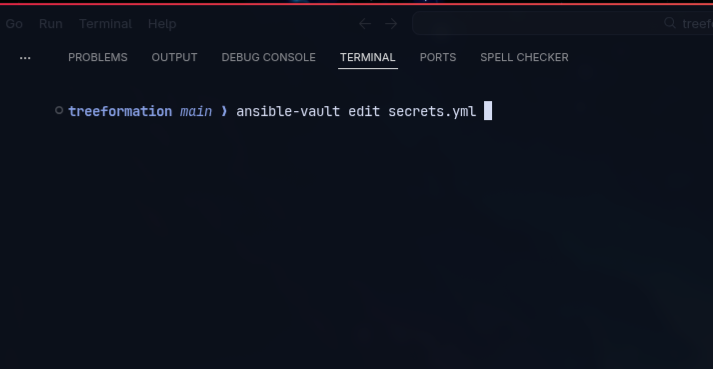
ArgoCD needs read access to the helm-resources GitLab repo. I use an SSH deploy key — the private key is stored in Ansible Vault, and the playbook creates a Kubernetes Secret that ArgoCD reads:
- name: Connect helm-resources repo to ArgoCD
  ansible.builtin.shell: >
    kubectl --kubeconfig {{ kubeconfig_path }} -n argocd apply -f - <<EOF
    apiVersion: v1
    kind: Secret
    metadata:
      name: helm-resources-repo
      namespace: argocd
      labels:
        argocd.argoproj.io/secret-type: repository
    stringData:
      type: git
      url: git@gitlab.com:network-cruz/william-cruz-infrastructure/helm-resources.git
      sshPrivateKey: |
        {{ vault_argocd_ssh_deploy_key }}
    EOF
Once connected, ArgoCD polls the repo every 3 minutes for changes.
ArgoCD Application Manifests
Every service gets an Application manifest that tells ArgoCD what to deploy, where to find the chart, and which values files to use. Here’s a real example from the backup service:
apiVersion: argoproj.io/v1alpha1
kind: Application
metadata:
  name: backup
  namespace: argocd
spec:
  project: default
  source:
    repoURL: git@gitlab.com:network-cruz/william-cruz-infrastructure/helm-resources.git
    targetRevision: main
    path: backup
    helm:
      valueFiles:
        - values.yaml
        - values-dev.yml
  destination:
    server: https://kubernetes.default.svc
    namespace: backup
  syncPolicy:
    automated:
      prune: true
      selfHeal: true
    syncOptions:
      - CreateNamespace=true
The key settings:
automated.prune: true— ArgoCD deletes resources that no longer exist in Gitautomated.selfHeal: true— If someone manually changes a resource in the cluster, ArgoCD reverts it to match GitCreateNamespace=true— ArgoCD creates the target namespace if it doesn’t exist
Every service uses this exact pattern. The only things that change are the name, path, and namespace.
The helm-resources Repo Structure
Each service has its own directory with a Helm chart:
helm-resources/
├── backup/
│   ├── Chart.yaml
│   ├── values.yaml          # defaults
│   ├── values-dev.yml       # environment overrides
│   └── templates/
│       ├── cronjob-keycloak.yaml
│       ├── cronjob-dashboard.yaml
│       └── ...
├── dashboard/
│   ├── Chart.yaml
│   ├── values.yaml
│   ├── values-dev.yml
│   └── templates/
│       ├── deployment.yaml
│       ├── service.yaml
│       ├── ingress.yaml
│       └── ...
├── keycloak/
├── n8n/
├── portfolio/
└── ...
The split between values.yaml (chart defaults) and values-dev.yml (environment-specific overrides like image tags, secrets references, and resource limits) keeps the chart reusable while allowing per-environment customization.
CI/CD: GitLab + Kaniko
Each service repo has a .gitlab-ci.yml that builds the container image using Kaniko (Docker-in-Docker isn’t needed) and pushes to GitLab Registry. The final CI step updates the image tag in helm-resources, which triggers ArgoCD to sync.
The GitLab Runner itself runs on the K3s cluster — deployed via a Helm chart through Ansible. So the entire CI/CD pipeline is self-hosted.
Self-Healing in Practice
With selfHeal: true, ArgoCD continuously watches for drift. If a pod gets manually deleted, a ConfigMap gets edited by hand, or a Helm value gets overridden — ArgoCD detects the difference and reverts the cluster state to match Git within seconds.
I’ve tested this by manually scaling a deployment to 0 replicas. ArgoCD noticed the drift and scaled it back up within its next reconciliation loop (~3 minutes or less).
Managing 9 Applications
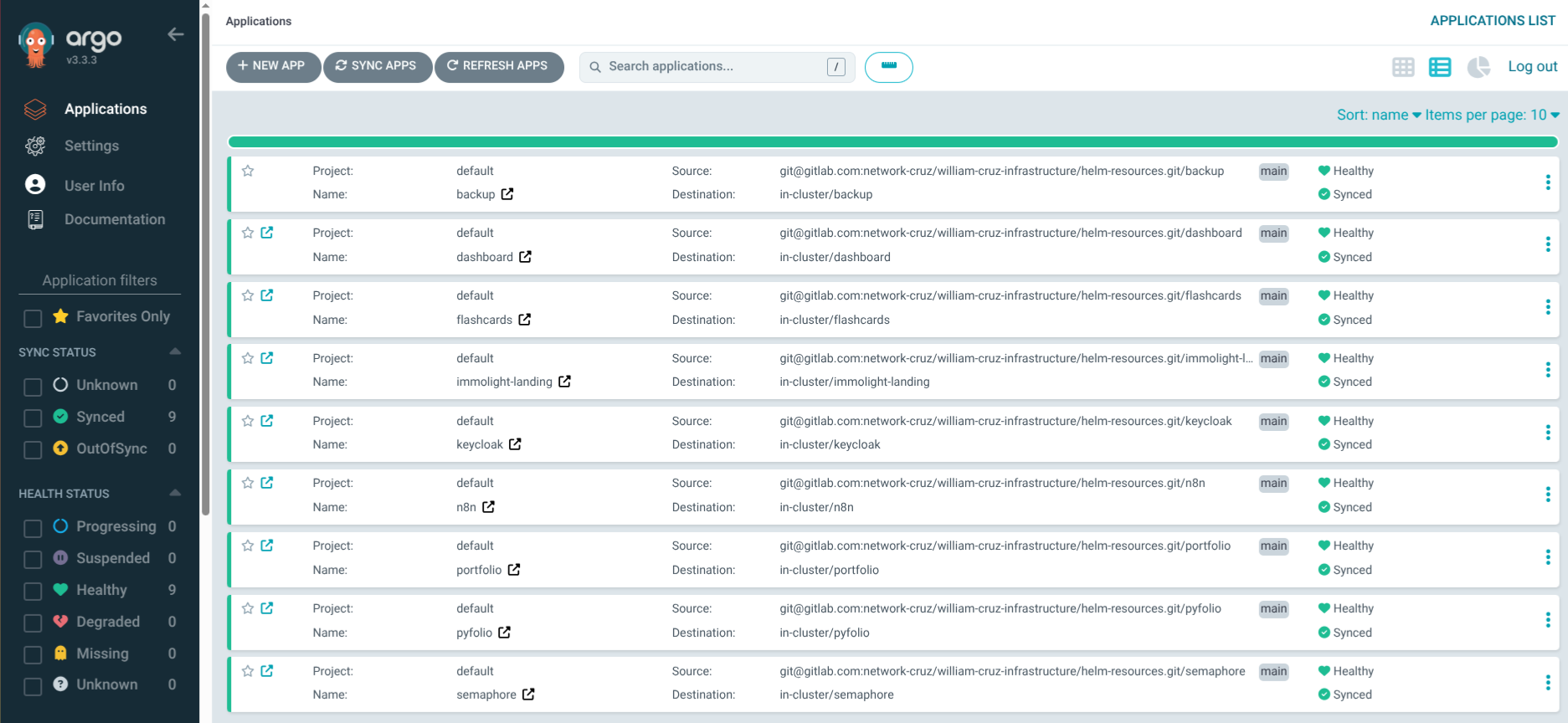
Currently ArgoCD manages: portfolio, dashboard, n8n, keycloak, pyfolio, immolight-landing, flashcards, semaphore, and backup. All deployed through the same pattern: Ansible creates the namespace and pre-provisions secrets, then applies the ArgoCD Application manifest. ArgoCD takes over from there.
The Ansible playbook for each service looks like this:
- Create namespace
- Create Kubernetes Secrets (from Ansible Vault)
- Apply ArgoCD Application manifest
ArgoCD handles everything else: pulling the Helm chart, rendering templates with values, deploying to the cluster, and keeping it in sync.
What I Learned
- Server-side apply is mandatory for ArgoCD. Without it, the
last-applied-configurationannotation overflows on large CRDs. - SSH deploy keys > HTTPS tokens for repo access. They’re simpler to manage in Kubernetes Secrets and don’t expire.
- Don’t put real passwords in
values-dev.yml. I learned this the hard way — use theexistingSecretpattern with pre-created Kubernetes Secrets instead. - Auto-sync + self-heal + prune is the correct default for all personal/dev applications. For production with a team, you might want manual sync with approval.